
How to Build a Stock Watchlist That Doesn't Go Stale
By MALI ·
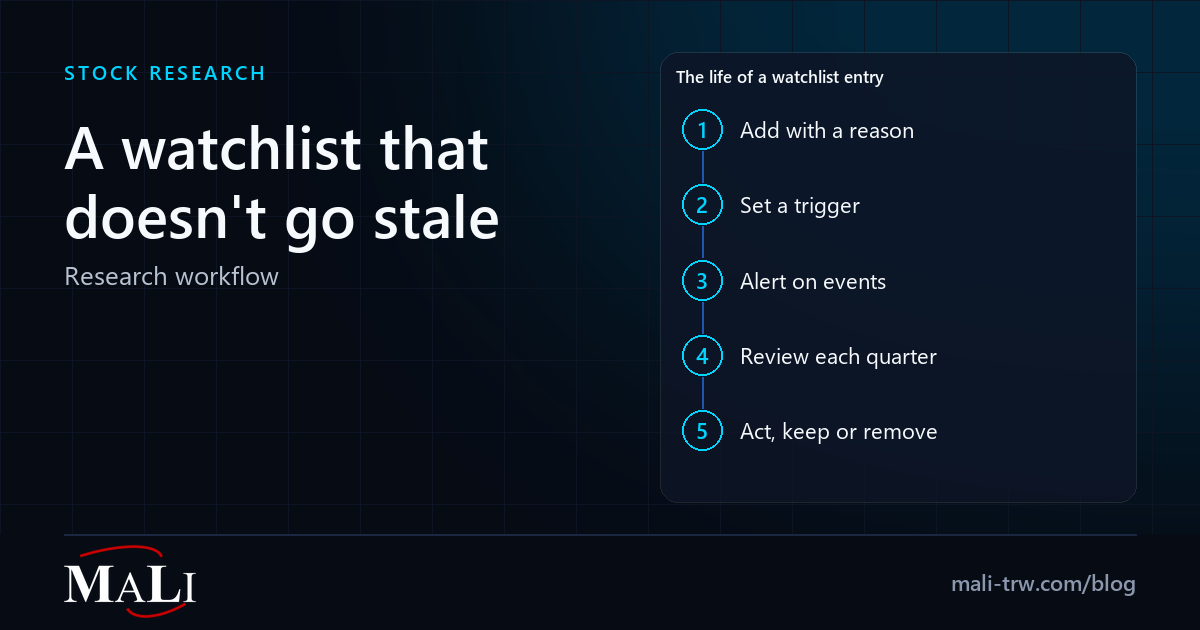
A watchlist goes stale when names pile up without a reason to be there. To keep one useful, limit its size, record for every stock why it's on the list and what would make you act, let filings and events alert you instead of watching prices, and remove names at a regular review. A good watchlist is a queue of decisions you're waiting to make, not a list of companies you've heard of.
This article sets out a simple system you can run in any app or a spreadsheet. It fits into the wider process in how to research a stock.
Why watchlists stop working
Most watchlists start with good intentions and end as a long list of tickers. The usual causes:
- No exit. Stocks get added but never removed, so the list grows until no one reads it.
- No reason recorded. Six months later you can't remember why a name is there, so you can't tell whether that reason still holds.
- Attention drift. New names arrive from headlines and conversations. Research by Barber and Odean found that individual investors are net buyers of attention-grabbing stocks, such as those in the news or with unusual volume. A watchlist without rules fills up with whatever was loudest that week.
- Price-watching. Staring at daily price moves for 40 names creates a feeling of activity without telling you whether anything important changed.
A watchlist system in five rules
1. Set a hard size limit
Pick a number you can genuinely review each quarter. For most individual investors that's somewhere between 15 and 40 names, depending on time. When the list is full, adding a stock means removing one. That single rule forces the comparison that keeps a list sharp.
2. Record three things for every name
For each stock, write down:
- Why it's here. One sentence. "High-margin software company; waiting for a better price" or "Turnaround; new CEO's plan to be tested over the next two quarters."
- The trigger. What would make you research it fully or act: a valuation level, a filing, an earnings result, a management change, a product launch.
- A review date. When you'll look at it again even if nothing has happened.
If you can't write the first one, the stock doesn't go on the list.
3. Sort names by stage
A simple status column makes the list easier to work through:
| Stage | Meaning | What you do |
|---|---|---|
| Idea | Looks interesting; not researched | Run a 30-minute first pass |
| Researching | First pass done; deeper work under way | Finish the thesis |
| Waiting | Thesis written; waiting for a trigger | Let alerts do the watching |
| Owned | You hold it | Track the thesis and the risks |
Ideas that sit for more than a quarter without a first pass should usually go.
4. Use event alerts, not price-watching
Most of what changes a thesis arrives as an event: an earnings release, a 10-Q or 10-K, an 8-K reporting an executive departure or an acquisition, insider buying, a large move on unusual volume. Set alerts for those events on the names in the Waiting and Owned stages, and stop checking the price every day.
For a valuation trigger, a price alert works better than a limit order if you want to re-check the thesis before buying. A limit order executes automatically when the price is reached; an alert just tells you to look.
5. Review each quarter, after earnings
Earnings season is a natural moment to review, because most companies have just reported. For each name, ask:
- Does the reason it's here still hold?
- Has the trigger been hit, or moved?
- Is it still one of the best uses of a place on the list?
Remove anything that fails the first or third question. Keep a short log of what you removed and why; it's useful later to see which ideas you were right to drop.
A simple layout
If you keep the list in a spreadsheet, eight columns are enough: ticker, stage, date added, why it's here, trigger, review date, last reviewed, and notes. Sort by review date so the names due for a look rise to the top. Add a separate tab for removed names, with the date and the reason. Over a year or two, that tab becomes a record of your own judgment: which ideas you were right to drop and which you dropped too early. It's one of the cheapest ways to learn from your own process.
An illustrative example
Imagine an investor with a 25-name limit (the list is illustrative). After a quarterly review, five names have no reason recorded and were added after a news story; they're removed. Two names in the Waiting stage hit their valuation triggers, so they move to Researching. One owned stock reported falling margins for the second quarter in a row, which was the thesis's stated risk, so it moves to a full review.
The list drops to 20 names, each with a reason and a trigger. The investor now gets alerts on filings and earnings for the 12 names in Waiting and Owned, instead of scanning 25 price charts every morning.
Common mistakes
- Treating the watchlist as a portfolio. Watching a stock isn't owning it. Don't let familiarity turn into a position without the research.
- Too many alerts. If every alert fires daily, you'll ignore them all. Keep alerts to events that could change the thesis, and use a daily cap or quiet hours if your tool has them.
- Never acting. A Waiting name that hits its trigger and gets no follow-up teaches you to ignore the list. Either act on triggers or change them.
- Copying lists. A list of what other people own is a starting point for ideas, not a watchlist. Each name still needs your own reason.
Where MALI fits
MALI's event alerts can watch your whole watchlist or your holdings for earnings dates and results, SEC filings (8-K, 10-Q, 10-K, 13D and 13G), insider buying, company news and unusual volume, by email, in the Alerts Center and as a mobile push, with a daily cap and quiet hours. The free Starter plan includes three event rules covering earnings and filings; Pro and Edge add more rules and every event type.
For the first pass on new ideas, the plain-English stock screener lists matches among 67 large US stocks and shows how it read your request. The news sentiment panel can track headline tone across up to 20 tickers, though it describes today's coverage and hasn't been shown to anticipate prices.
FAQ
How many stocks should be on a watchlist?
As many as you can genuinely review each quarter. For many individual investors that's 15 to 40. A smaller list you know well is more useful than a long one you skim.
Should I set price alerts or limit orders on watchlist stocks?
If you want to re-check the thesis before buying, use a price alert. A limit order executes automatically when the price is reached, which skips that step.
How often should I review my watchlist?
Once a quarter works well, ideally after earnings season, when most companies have reported. Alerts cover the time in between.
When should I remove a stock from my watchlist?
When the reason it's there no longer holds, when it has sat as an unresearched idea for more than a quarter, or when a better idea needs its place.
Sources
- Barber and Odean, "All That Glitters: The Effect of Attention and News on the Buying Behavior of Individual and Institutional Investors", Review of Financial Studies, 2008
- Types of Orders, Investor.gov (SEC)
- Using EDGAR to Research Investments, Investor.gov (SEC)
This article is educational and is not investment advice. MALI is a research and analytics platform; it does not recommend buying or selling any security.